
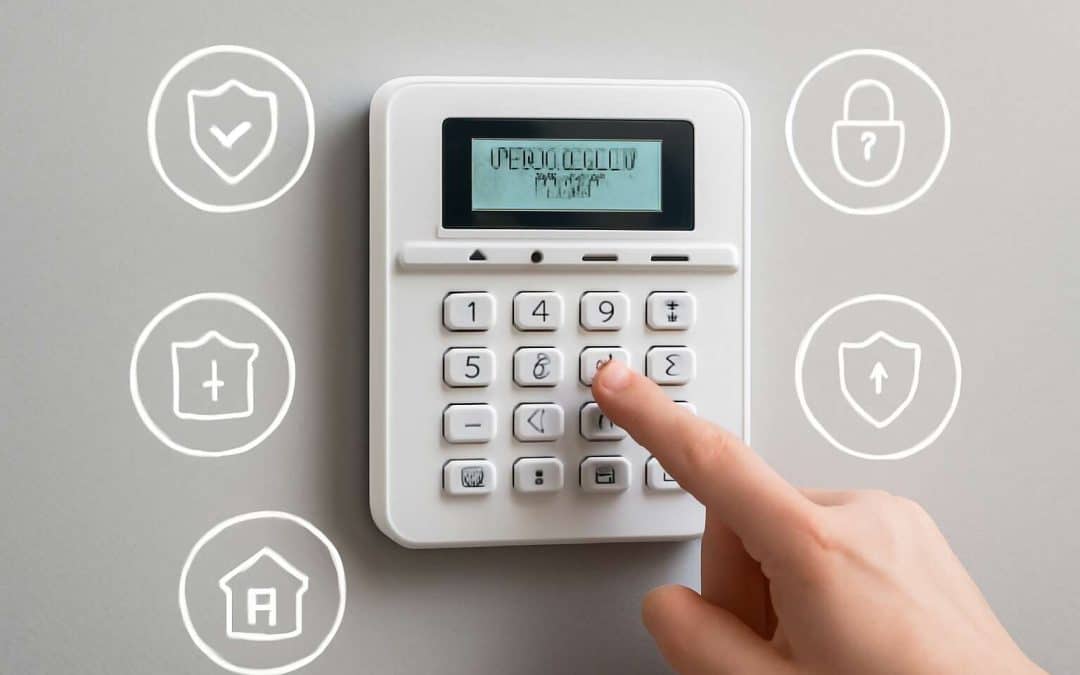
Understanding Security Alarm Systems
Components of a Security Alarm System
Understanding the components of a security alarm system is essential for ensuring your property’s safety. A well-designed system doesn’t rely on a single element but combines several key components working together seamlessly. These elements include sensors, control panels, alarms, and communication devices, each playing a vital role in the overall security network.
The control panel acts as the brain, managing signals from sensors and triggering alarms when necessary. Sensors—such as motion detectors, door/window contacts, and glass-break sensors—monitor activity and detect intrusions. Communication devices, like GSM modules or internet alarms, ensure alerts reach your phone or security service promptly.
For a comprehensive understanding, consult a detailed security alarm manual, which provides step-by-step guidance on installing, maintaining, and troubleshooting each component. Recognising how these elements interact is crucial for anyone aiming to optimise their security system’s effectiveness.
Types of Security Alarms
Understanding the diverse types of security alarms available can be a game-changer in safeguarding your property. From traditional wired systems to modern wireless setups, each type offers distinct advantages tailored to different needs. Wired alarms, for instance, provide reliable connectivity and are often preferred in large or fixed installations. In contrast, wireless security alarm systems boast flexibility and easier installation, making them ideal for temporary or rental properties.
For those seeking advanced features, hybrid systems combine the best of both worlds, integrating wired and wireless components seamlessly. To navigate this landscape, consulting a comprehensive security alarm manual is invaluable. This resource provides detailed guidance on selecting the right system type and ensures proper installation and maintenance. Recognising the nuances between alarm types empowers homeowners and security professionals to optimise their security network effectively.
Benefits of Installing a Security Alarm
In the shadowed corners of our lives, security alarm systems serve as silent guardians, whispering reassurance amidst the chaos. The benefits of installing a security alarm extend beyond mere deterrence; they weave a delicate web of safety that can catch even the most insidious intruders. A well-chosen alarm system can illuminate the darkness, providing peace of mind that your sanctuary remains untouched by malevolence.
Understanding the advantages is crucial, and a comprehensive security alarm manual can be your guiding star. It reveals the subtle nuances that transform a basic system into a fortress. From rapid response capabilities to remote monitoring, the right alarm elevates your security to a realm where vigilance is woven into the fabric of everyday life. Recognising these benefits ensures that your property remains a bastion of safety, even in the most perilous shadows.
Importance of a Comprehensive Security Alarm Manual
Guidelines for Proper Installation
A well-crafted security alarm manual is the backbone of effective installation and operation. It’s not enough to simply have a system in place; understanding how to set it up correctly can make all the difference in preventing breaches. Proper installation guided by a detailed security alarm manual ensures that every component functions optimally, reducing false alarms and improving overall reliability.
Without clear instructions, even the most advanced security alarm system can be rendered ineffective. Comprehensive guidelines cover crucial aspects such as wiring, sensor placement, and system configuration. These details help installers avoid common pitfalls and ensure the alarm system offers maximum protection. Remember, a security alarm manual isn’t just a set of instructions — it’s an essential tool that safeguards your property and peace of mind.
Operational Instructions
In the silent calculus of security, a comprehensive security alarm manual acts as the unseen architect of protection, guiding us through the labyrinth of technological intricacies. It’s more than mere documentation; it’s an intricate blueprint that embeds a nuanced understanding of operational instructions into the fabric of your security infrastructure. When every command, setting, and calibration is meticulously outlined, the risk of misconfiguration diminishes—false alarms become rarer and system reliability soars.
Such manuals serve as the psychological anchor in moments of uncertainty, transforming complex alarm technology into an accessible language of safety. A well-crafted security alarm manual doesn’t just inform; it empowers. It offers clarity amidst chaos, ensuring that each component works harmoniously with the others. Remember, in the realm of security, knowledge isn’t just power—it’s peace of mind!
Maintenance and Troubleshooting Tips
A security alarm manual is the silent guardian that sustains the fortress of safety, yet its true worth reveals itself in maintenance and troubleshooting. Without regular care, even the most sophisticated system risks falling into disrepair—like a watch unwound and silent. An overlooked manual can turn a moment of crisis into chaos, but a well-maintained security alarm manual transforms uncertainty into confidence.
In the realm of security, troubleshooting is an art, requiring patience and a keen eye for detail. System malfunctions often stem from overlooked calibration issues or overlooked user errors. A comprehensive security alarm manual provides step-by-step guidance, helping to diagnose problems swiftly and restore harmony. Remember, clarity in instructions isn’t a luxury; it’s the backbone of reliable security.
Periodic checks should include verifying sensor functions, examining wiring integrity, and testing alarm triggers. To streamline these processes, consider this simple approach:
- Identify the problem based on system alerts or irregular behaviour.
- Consult the security alarm manual for specific troubleshooting procedures.
- Carry out calibration and test the system’s response.
- Record any anomalies to facilitate future diagnostics.
With diligent care and a meticulous security alarm manual, your system becomes an unbreakable shield—resilient, responsive, and ready to protect at a moment’s notice. Because in security, trust is built on the foundation of thorough maintenance, and that foundation is laid by the guidance within your manual.
Key Features Covered in a Security Alarm Manual
Setup and Configuration Instructions
Security alarm manuals are the unsung heroes of effective system operation—think of them as the secret sauce that turns a confusing jumble of wires into a well-oiled security fortress. These manuals don’t just tell you which button does what; they delve into key features like zone configuration, user access controls, and alarm response settings, ensuring you get the most out of your investment.
A comprehensive security alarm manual covers everything from initial setup to advanced customisation, often including step-by-step instructions that make even the least tech-savvy feel like a security ninja. For added clarity, many manuals employ visual aids such as diagrams and flowcharts, which are a godsend when troubleshooting or fine-tuning your system.
In essence, a good security alarm manual acts as your trusty guide—arming you with the knowledge needed to keep your premises safe and sound, all while avoiding the chaos that comes from guesswork.
User Access and Code Management
When it comes to safeguarding your fortress, the devil is in the details—specifically, in the user access and code management sections of your security alarm manual. No one wants to be locked out of their own system or worse, handing out keys to the wrong crowd. A well-crafted security alarm manual demystifies the process of creating unique codes for each user, setting access levels, and updating credentials without turning your home into a digital Fort Knox.
Key features often include clear instructions on how to add or remove users, change codes, and set temporary access permissions—think of it as a digital guest list for your security system. For organisations, layered access controls can be a game-changer, allowing different personnel to operate the system with varying degrees of authority. This vital information, embedded within the security alarm manual, ensures you retain control without resorting to guesswork or accidental lockouts.
Understanding these elements is crucial — after all, a security alarm manual isn’t just a guide; it’s your first line of defence against unauthorised intrusions and operational chaos. Mastering user access and code management means you’re not just installing a security system; you’re engineering peace of mind.
Alarm Modes and Settings
Within the labyrinth of a comprehensive security alarm manual, the chapter on alarm modes and settings acts as a guiding star — illuminating how to tailor your system’s behaviour to suit every scenario. Understanding these features transforms your security system from a mere device into an active sentinel, responsive to the ebb and flow of your daily life. From arming options that adapt to your routine to customised alerts that notify you of unusual activity, these settings are the heartbeat of your fortress’s defence.
Key features often include intuitive control over alarm modes such as ‘home’, ‘away’, and ‘disarmed’, each with its own specific configuration. These modes can be further customised through options like delay times, sensor sensitivities, and silent alarms. For organisations, layered alarm modes allow different departments to operate with varying levels of access, creating an intricate web of security that is as flexible as it is formidable.
- Alarm activation and deactivation procedures
- Sensor sensitivity adjustments
- Emergency and panic alarm settings
The security alarm manual acts as your enchanted tome, guiding you through the nuances of these modes and ensuring that your system responds precisely when needed. Mastery of these settings ensures your security apparatus isn’t just reactive but a proactive guardian, seamlessly blending technology with peace of mind.
Sensor and Device Management
The security alarm manual is the cornerstone of effective system management. It offers essential guidance on sensor and device management, ensuring your security setup functions flawlessly. Precise control over sensor sensitivity, for example, can drastically reduce false alarms and enhance reliability. Understanding how to fine-tune these devices is crucial for maintaining optimal security performance.
Advanced features often include the ability to manage multiple sensors and devices seamlessly. This might involve grouping sensors by zone or department, allowing tailored responses based on activity levels. A well-crafted security alarm manual details these procedures clearly, empowering users to troubleshoot and adjust settings confidently.
- Sensor calibration and sensitivity adjustment
- Device pairing and firmware updates
- Battery status monitoring and replacement protocols
Mastering these aspects through the security alarm manual turns a basic system into a highly responsive security network. It ensures that every sensor and device works in harmony, providing peace of mind and robust protection at all times. The manual acts as your trusted guide in navigating this complex landscape with ease and precision.
Notification and Alert Systems
A comprehensive security alarm manual is the backbone of an effective security system, especially when it comes to notification and alert systems. These features are vital in ensuring swift responses to potential threats, making the difference between a false alarm and genuine security breach. A well-detailed alarm manual guides users on configuring alerts for different scenarios, whether it’s a perimeter breach or an internal security threat.
Modern systems often incorporate multiple notification channels, such as SMS, email, or even app-based alerts, allowing for instant communication with security personnel or homeowners. The manual elucidates how to set these parameters precisely, avoiding unnecessary disturbance while maintaining vigilance. It also covers the importance of customising alert thresholds according to specific zones or timeframes, ensuring the system responds appropriately to varying levels of activity.
In addition, the security alarm manual typically details the management of alarm modes—arming, disarming, and panic functions—empowering users to tailor responses in different situations. Clear instructions on how to test notification systems regularly help maintain the system’s integrity, making sure that every alert reaches its intended recipient without delay. With these key features, the manual transforms a basic security setup into a finely tuned, responsive network that provides peace of mind at all times.
How to Read and Use a Security Alarm Manual Effectively
Navigating the Manual Chapter-wise
Understanding a security alarm manual can feel akin to deciphering a cryptic manuscript penned in an ancient language—yet, with a touch of finesse, it becomes a manageable endeavour. The key lies in navigating the manual chapter-wise, akin to turning the pages of a well-structured novel. Each section offers a treasure trove of vital information, guiding users through the labyrinth of system features and operational nuances.
To truly harness the potential of your security alarm manual, approach it with a strategic mindset. Start by familiarising yourself with the introductory chapters, which often lay out the overarching architecture of the system. Then, methodically examine the chapters dedicated to operational instructions and sensor management, ensuring you grasp the full spectrum of alarm functionalities.
A clever tip: keep a highlighter or notes handy to mark critical sections—after all, a manual should serve as a reliable companion, not a source of frustration. When you understand how to navigate it chapter by chapter, the security alarm manual transforms from a daunting tome into your most trusted resource, ensuring peace of mind in an increasingly complex world.
Understanding Diagrams and Illustrations
Interpreting a security alarm manual can sometimes feel like deciphering an intricate tapestry woven with symbols and diagrams. Yet, mastering how to read and use this manual effectively unveils a wealth of knowledge that transforms a complex system into a seamless extension of your home or business security. Central to this mastery are the diagrams and illustrations—visual aids that breathe life into technical jargon, revealing the inner workings of sensors, control panels, and alarm zones with clarity.
When approaching a security alarm manual, take the time to study each diagram carefully. They often use colour coding, icons, and numbered labels that correspond directly to system components, making troubleshooting and setup much more intuitive. A practical approach involves cross-referencing these visuals with the written instructions, creating a mental map of the system’s architecture. This synergy between words and images accelerates comprehension, ensuring you can navigate even the most complex features with confidence.
To enhance your understanding, consider employing a set of tools—such as highlighters or sticky notes—to mark vital illustrations or steps. This practice turns the manual into a personalised guide, one that’s easier to revisit when needed. Remember, in the labyrinth of security alarm systems, the diagrams are your compass, guiding you through a detailed landscape of technology and safety. Recognising and interpreting these visual elements transforms the manual from a mere document into a trusted companion, enriching your command over the security system and elevating your peace of mind.
Common Terminologies Explained
Navigating a security alarm manual can feel like decoding an ancient script—each symbol and phrase holds the key to safeguarding your sanctuary. To truly harness the power of your security alarm system, understanding common terminologies is essential. Terms like “arming,” “disarming,” “sensor zones,” and “alarm delay” might seem cryptic at first, but grasping their meanings transforms the manual into a trusted map.
A practical approach involves familiarising yourself with key definitions before diving into setup or troubleshooting. For example, knowing that “arming” activates the system while “disarming” deactivates it helps prevent accidental false alarms.
When reading the manual, highlight or annotate critical sections—this personalises your guide and simplifies future reference. Remember, an effectively used security alarm manual not only demystifies the technology but also empowers you to manage your system with confidence and peace of mind.
Troubleshooting Common Security Alarm Issues
Alarm System Not Triggering
A security alarm not triggering when it should is a frustrating setback, especially when your safety depends on it. Sometimes, the issue stems from overlooked settings or simple malfunctions that can be resolved without professional help. According to industry experts, nearly 30% of alarm failures are due to user error or misconfiguration—highlighting the importance of a comprehensive security alarm manual.
Often, problems can be traced back to faulty sensors, incorrect zone settings, or power interruptions. Checking the alarm’s power source and ensuring all sensors are correctly positioned can swiftly resolve many issues. If these steps don’t work, consulting the security alarm manual for troubleshooting tips can be invaluable.
In some cases, you might find it helpful to follow an ordered troubleshooting process:
- Verify the power supply and backup batteries.
- Check sensor connections and placements.
- Review user codes and alarm mode settings.
A well-crafted security alarm manual offers detailed guidance to prevent false alarms and ensure your system performs reliably when needed most.
False Alarms and How to Prevent Them
False alarms can be more than just an inconvenience; they often undermine confidence in your security system. According to industry data, nearly 40% of security alarm false alarms are caused by sensor misalignment or environmental triggers like wind or insects. A comprehensive security alarm manual provides essential guidance on how to minimise these disruptions, ensuring your system remains reliable. Understanding how to fine-tune sensor sensitivity and properly calibrate zones can drastically reduce unnecessary alerts.
To effectively prevent false alarms, it’s crucial to regularly inspect sensor placements and clear any obstructions. Implementing scheduled maintenance routines, as outlined in your security alarm manual, helps catch issues before they escalate. Moreover, customizing alarm modes to suit your environment—such as switching to a perimeter-only setting when you’re away—can further diminish false triggers. Remember, a well-documented manual doesn’t just troubleshoot problems; it empowers you to optimise your security alarm system for peace of mind and consistent performance.
Power and Battery Concerns
Power fluctuations and dwindling batteries can conjure chaos within your security alarm system, turning a guardian into a ghostly echo of itself. Nearly 30% of alarm malfunctions trace back to inconsistent power sources or depleted batteries—silent saboteurs that undermine your peace of mind. Recognising the subtle signs—flickering indicator lights or delayed responses—can alert you to impending issues before they escalate into full-blown system failures.
To keep your security alarm performing with unwavering reliability, it’s essential to follow the guidance laid out in your security alarm manual. Regularly inspecting power connections and swapping out batteries according to the manufacturer’s schedule ensures your system remains vigilant. Remember, a simple step like maintaining a stock of high-quality batteries can make all the difference. When faced with persistent issues, consider the following:
- Switching to a reliable power supply
- Testing backup batteries periodically
- Documenting any irregularities in your manual for future reference
By embracing these practices, you transform your alarm system from a fragile sentinel into an indomitable guardian—steadfast and ready to alert, no matter the darkness or storm. The security alarm manual acts as your enchanted tome, guiding you through the labyrinth of power and battery concerns with wisdom and clarity, ensuring your fortress stays secure and your peace endures.
Sensor Failures
Sensor failures are among the most frustrating security alarm issues. When sensors stop working, your system’s reliability diminishes, leaving your property vulnerable. A common cause is dirt or dust accumulation, which can block sensor detection. Physical damage or misalignment are also frequent culprits. Recognising these signs early can prevent larger security breaches.
If your alarm isn’t responding as it should, consult the security alarm manual for troubleshooting steps. Sometimes, sensors need recalibration or resetting. In other cases, replacing a faulty sensor is necessary. To keep your system operating smoothly, regularly check sensor connections and ensure they’re clean and correctly aligned.
- Inspect sensor placement to verify proper alignment.
- Clean sensor lenses gently with a soft cloth.
- Test sensors periodically using the manual’s testing procedures.
- Replace damaged sensors following manufacturer guidelines.
Remember, understanding how to troubleshoot sensor failures within your security alarm manual can save you time and ensure your system remains a steadfast guardian of your property. Proper management of sensors is key to maintaining an effective security setup!
Safety and Security Best Practices
Regular Maintenance Routines
Regular maintenance routines are often overlooked, yet they are the backbone of a reliable security alarm system. A well-kept system ensures optimal performance, helping to prevent unwarranted false alarms and system failures. Incorporating scheduled inspections into your security alarm manual can make all the difference between peace of mind and vulnerability.
During these routines, it’s crucial to verify that all sensors are clean, correctly calibrated, and free from obstructions. Battery checks should also be a priority, as power issues remain a common cause of alarm malfunctions. To streamline this process, consider establishing a checklist that covers essential tasks like testing communication modules and reviewing alert notifications.
A comprehensive security alarm manual should emphasise that consistent, proactive maintenance is not just good practice; it’s essential for safeguarding your property effectively.
Update Firmware and Software
In an era where digital threats evolve as swiftly as the shadows they hide in, keeping your security alarm system current is paramount. An often-overlooked aspect of your security alarm manual is the importance of regularly updating firmware and software—yet it’s a cornerstone of maintaining a resilient defence. Outdated software can leave vulnerabilities that even the most sophisticated alarms cannot counteract effectively. By prioritising firmware updates, you ensure your system benefits from the latest security patches, enhanced features, and improved integration capabilities.
Neglecting these updates can inadvertently create gaps in your security, making it easier for intruders to exploit outdated protocols. Many manufacturers release critical patches that rectify known vulnerabilities, reinforcing your system’s integrity. Incorporating a routine check for firmware and software updates into your security alarm manual transforms reactive maintenance into proactive security management. Remember, a well-maintained system isn’t just about hardware; it’s about evolving digital safeguards that stay ahead of potential threats.
Secure Access and User Management
Ensuring that only authorised personnel access your security alarm system is fundamental to maintaining its integrity. Proper user management isn’t just about changing codes when someone leaves; it’s about implementing a structured access protocol that minimises vulnerabilities. A well-crafted security alarm manual emphasises the importance of secure access, urging users to avoid shared or predictable codes that could be easily compromised.
Adopting a systematic approach to user management can significantly reduce the risk of unauthorised access. This includes assigning unique credentials, regularly reviewing access permissions, and disabling accounts promptly when necessary. Many security professionals advocate for multi-factor authentication where possible, adding an extra layer of security to your alarm system. These measures, detailed within your security alarm manual, help create a resilient barrier against intrusion.
Furthermore, it’s vital to educate users on best practices. Simple steps like keeping codes confidential and logging access activities can make a substantial difference. Incorporating these strategies into your security alarm manual transforms basic access control into a comprehensive security protocol, safeguarding your property effectively and ensuring peace of mind. After all, robust user management is a cornerstone of a truly secure alarm system.
Emergency Procedures
In the realm of security alarm manual protocols, preparedness often makes the difference between safety and vulnerability. A well-structured manual not only guides users through routine operations but also emphasises the critical importance of emergency procedures. When chaos strikes, clarity becomes your best ally. Ensuring all personnel are familiar with swift response actions can prevent minor incidents from escalating into major crises.
Effective emergency procedures should be easily accessible, clearly outlined, and regularly drilled. Incorporate straightforward steps such as alerting authorities, notifying key personnel, and executing evacuation protocols. To aid comprehension, consider using numbered lists within your security alarm manual, detailing each phase of the emergency response. This organised approach fosters confidence and minimises hesitation during high-pressure moments.
In addition, safety and security best practices should highlight the importance of maintaining an unobstructed view of sensors and alarm panels. Regularly reviewing and updating your manual ensures it remains relevant, reflecting any changes in safety legislation or system upgrades. Ultimately, a comprehensive security alarm manual that integrates emergency procedures transforms a basic alarm system into an active shield, safeguarding lives and property with unwavering resolve.
Upgrading and Customizing Your Security Alarm System
Adding New Sensors or Devices
Enhancing your security alarm system is not merely a matter of maintenance but an ongoing journey of adaptation and innovation. As technology evolves, so do the possibilities for upgrading and customizing your alarm system to meet changing security needs. Adding new sensors or devices can transform a basic setup into a comprehensive safeguard, tailored to your specific environment.
When considering upgrades, it’s vital to refer to the security alarm manual, which provides detailed instructions on integrating various components seamlessly. For instance, expanding your system with motion detectors, door/window sensors, or even smart cameras can significantly boost detection capabilities. To facilitate this process, some systems employ a modular design, allowing users to easily incorporate additional elements without extensive rewiring or technical expertise.
- Identify the areas that require enhanced security.
- Consult the security alarm manual for compatible sensors and devices.
- Follow step-by-step instructions to add new components safely and effectively.
This methodical approach ensures that each upgrade not only strengthens your security posture but also preserves the integrity of your existing setup. Customising your alarm system is an empowering process, turning a standard device into a personalised fortress against intrusion and unforeseen threats.
Integrating with Smart Home Systems
Integrating your security alarm system with smart home technology transforms a basic setup into an intuitive, connected fortress. This upgrade not only enhances convenience but also amplifies your overall security posture. With the right guidance from the security alarm manual, you can seamlessly link your alarm system to popular smart home platforms, creating a cohesive network that responds intelligently to various scenarios.
For example, pairing smart cameras, voice assistants, or automated lighting with your security alarm system can provide real-time alerts and remote control, all accessible via your smartphone. When adapting your system, it’s essential to consult the security alarm manual for compatibility and step-by-step instructions. This ensures each component functions harmoniously, preventing potential malfunctions or security loopholes.
By embracing smart home integration, you foster a customised environment that reacts swiftly to threats, giving your family peace of mind. Whether it’s setting custom zones or programming automated responses, the possibilities are vast—turning your home into a protective sanctuary built on technology and trust.
Remote Access and Monitoring
In an era where home security is no longer a luxury but an essential, the ability to upgrade and customise your security alarm system via remote access transforms mere protection into a personalised fortress. Modern systems offer the convenience of monitoring your home from anywhere in the world, turning your smartphone into a command centre. Yet, navigating these enhancements without a comprehensive security alarm manual can be akin to trying to assemble furniture without the instructions—possible, but fraught with potential pitfalls.
From adjusting alarm modes to managing user access, the manual provides critical guidance. For instance, some systems allow you to set up multiple user profiles, each with distinct permissions, ensuring your home remains secure even when you’re away. Additionally, remote monitoring features enable you to receive instant alerts for any suspicious activity—keeping you informed whether you’re at the office or on holiday. Remember, the devil is in the details; consulting the security alarm manual ensures you make the most of these advanced functionalities without inadvertently compromising security.
When upgrading your system, consider the following steps:
- Ensure your alarm system firmware is up to date—most manuals include instructions on how to perform updates securely.
- Configure your app or remote access portal according to the manual’s specifications to prevent unauthorised entry.
- Test all remote functions periodically to guarantee seamless operation and avoid unwelcome surprises.
Ultimately, harnessing the power of remote access and monitoring hinges on your familiarity with the security alarm manual—an indispensable resource that turns complex technology into an intuitive safeguard. After all, a well-informed homeowner is the best defence against those who seek to exploit the shadows.
Legal and Warranty Information
Warranty Coverage Details
Within the realm of safeguarding your sanctuary, understanding the **security alarm manual** becomes akin to possessing a mystical map—guiding you through the labyrinth of protection. When it comes to **warranty coverage**, clarity is paramount; most systems come with comprehensive protection that encompasses parts and labour for a specified duration. This coverage often shields users from unforeseen faults, ensuring peace of mind in a world fraught with uncertainty.
It is vital to scrutinise the **warranty details** diligently. Typically, the manual will specify exclusions, such as damage caused by misuse or tampering. To truly harness the power of your alarm system, familiarise yourself with the scope of the **warranty coverage**, which often includes:
- Replacement of defective sensors and devices
- Labour costs for repairs or replacements
- Support for firmware or software malfunctions
A thorough grasp of these elements ensures your system remains resilient and reliable, transforming your security setup into an unassailable fortress. The **security alarm manual** stands as your trusted tome—illuminating the path to optimal protection and understanding.
Legal Compliance and Standards
Legal compliance and adherence to industry standards are the bedrock of any trustworthy security alarm manual. When installing or maintaining a security alarm system, understanding the legal frameworks that govern alarm systems is crucial. Regulations often stipulate specific requirements for system components, installation procedures, and data handling—ensuring your setup not only protects your property but also aligns with legal mandates.
Most reputable alarm systems come with detailed warranty coverage, which should be clearly outlined within the security alarm manual. This documentation typically covers essential aspects such as parts replacement, repair costs, and software support, providing reassurance against unforeseen faults. However, it’s equally vital to scrutinise the manual for explicit exclusions, often related to misuse or unauthorised tampering.
To navigate this complex landscape, some systems feature:
- Compliance with national standards such as EN 50131 or UL certifications
- Clear terms of warranty coverage, including duration and scope
- Guidance on lawful operation and data privacy considerations
In essence, your security alarm manual is more than just a user guide; it is a legal and technical compass—guiding you through the intricacies of lawful operation and warranty protection. Mastering this manual ensures your security system remains both compliant and resilient, transforming it into a steadfast guardian of your sanctuary.
Customer Support and Service
Understanding the legal and warranty aspects of your security alarm system is essential for peace of mind. The security alarm manual provides critical information on warranty coverage, ensuring you’re aware of what components are protected and for how long. This documentation often details the process for claiming repairs or replacements, giving you confidence in your system’s resilience.
Customer support and service are vital components of a comprehensive security alarm manual. Reputable manufacturers typically offer dedicated helplines, online chat, or email support to assist with troubleshooting, updates, or system upgrades. Many manuals also include a clear outline of service procedures, ensuring you can access help swiftly when needed. For added clarity, some manuals feature an
- FAQs section
- step-by-step troubleshooting guides
that empower users to resolve common issues independently.
